
Run every mobile repair from the counter to delivery
Jobsheets, repair status, parts stock, GST bills and your accounts in one place. Built with a working repair shop, for repair shops across India.
- GST tax invoices, bills of supply or plain bills
- Works in any browser, on computer or phone
- One login for every branch
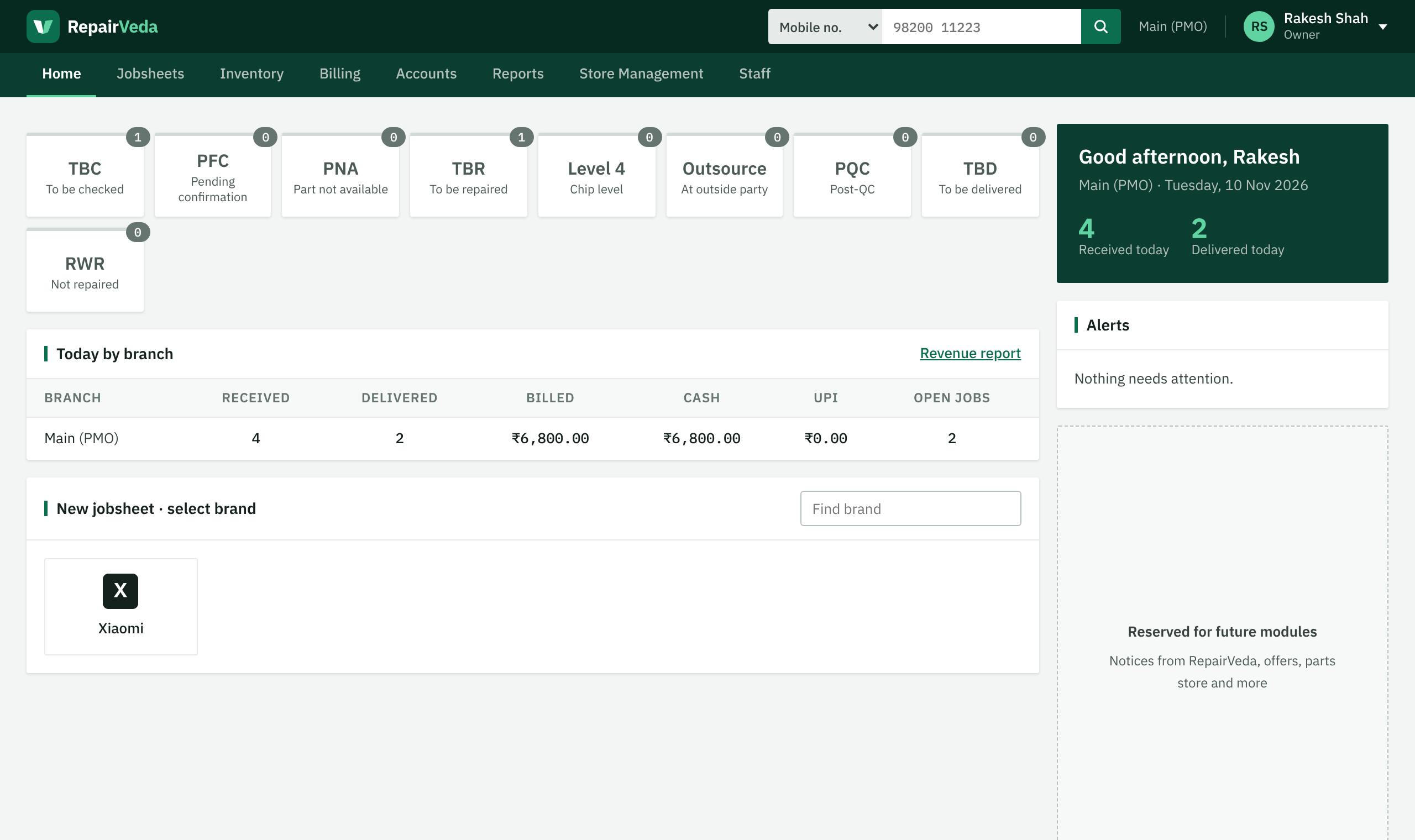
Track every repair from inward to delivery
Each device moves through clear steps. Everyone at the shop sees what is waiting for them, and the owner sees the whole shop at a glance.
-
Inward
Pick the brand and model, tick the problems, and see the part price and stock straight away. Print the jobsheet with a QR code.
Instead of: paper slips and calling the technician for a price.
-
Check and approve
The technician checks the device and adds the parts. If the estimate is the same or lower, the front desk approves it without calling the customer.
Instead of: lost notes about what the customer agreed to.
-
Repair
Parts are reserved from stock. When a part is not in stock, the job waits in a queue, oldest first, until the part arrives.
Instead of: devices forgotten on the shelf.
-
Quality check
The technician and the front desk each tick the same checklist before the device is ready for the customer.
Instead of: customers coming back the same day.
-
Bill and deliver
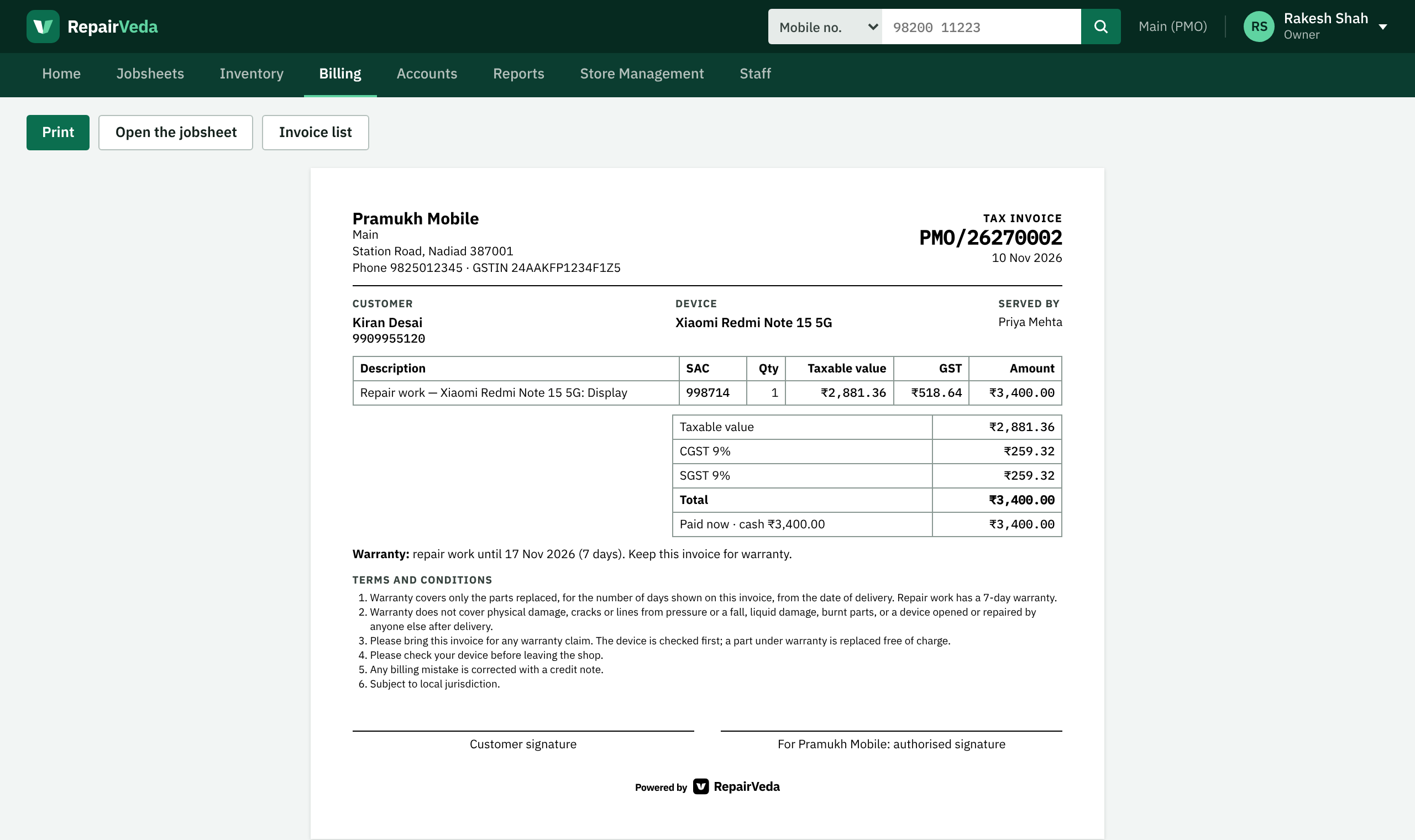
A correct GST bill in one click, paid by cash, UPI or both. The advance taken at inward comes off automatically.
Instead of: a separate billing book and mistakes in GST.
-
Know your numbers
Profit on every job, stock value, cash in hand and reports for every day, branch, technician and front desk person.
Instead of: working it out at the end of the month.
Everything a repair shop needs, in one app
Designed around how a mobile repair counter really works in India.
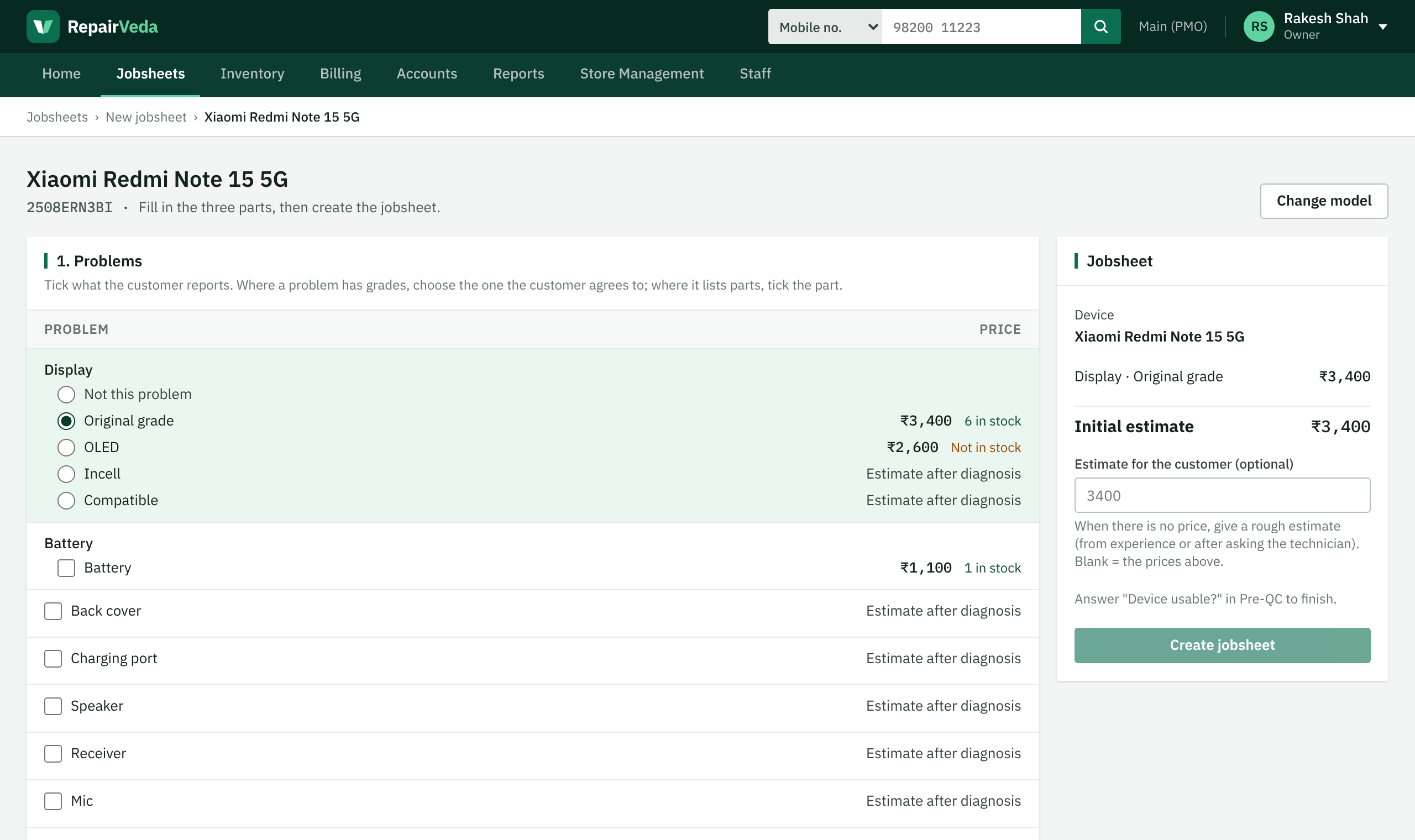
Inward with the right price
The front desk sees each problem with the part price and how many are in stock in this branch.
- Brands, models and parts come ready from the RepairVeda catalogue
- Device photos from any phone by scanning a QR code
- Passcode, Pre-QC and the customer's advance on the same screen
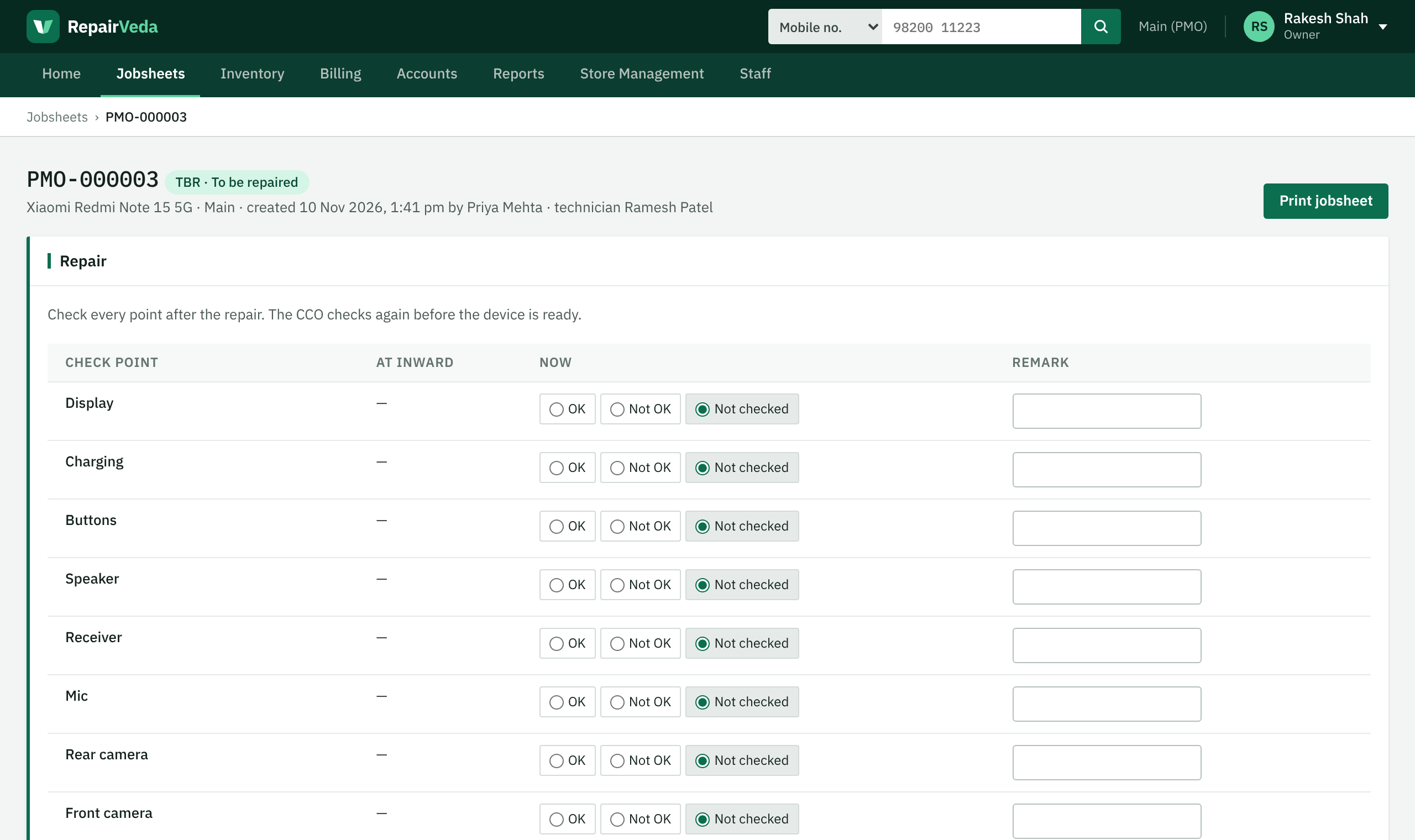
Every job, every step
To be checked, waiting for approval, part not available, being repaired, outsourced, quality check, ready to deliver.
- Technicians see only their own work
- Call log and reminders for each customer
- Full history of who did what, and when
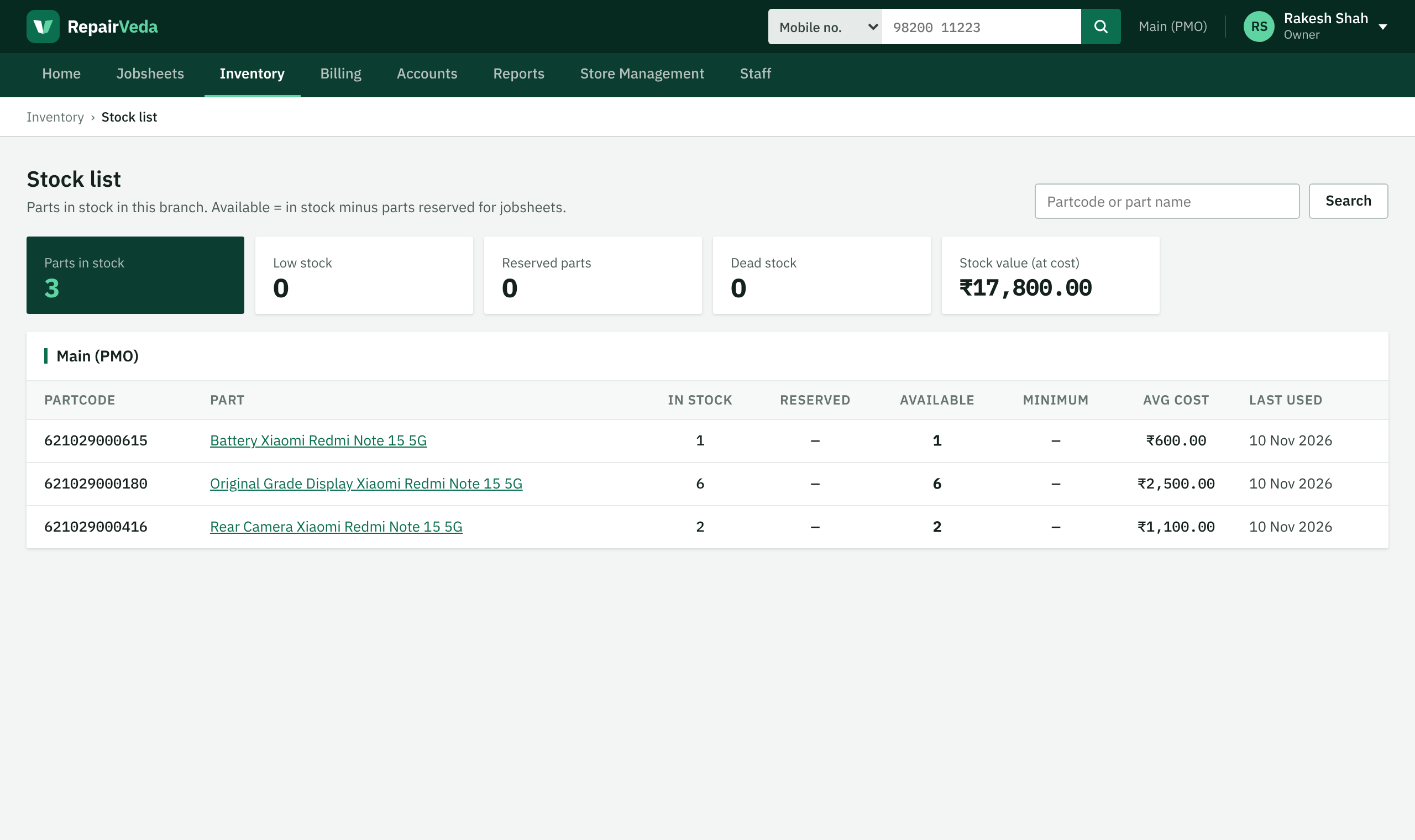
Parts stock that stays right
Purchases with GST, stock per branch, average cost, low and dead stock, returns to suppliers.
- Parts are taken out of stock only when used in a repair
- Every change kept in the stock history
- Know what you owe each supplier
GST bills and accounts
Tax invoice, bill of supply or plain bill, depending on your GST registration. Bill numbers follow the GST rules.
- CGST and SGST, or IGST, worked out for you
- Credit notes, discounts with owner approval, coupons
- Cash and bank books, profit and loss, balance sheet, GST summaries
Simple for the counter, complete for the owner
GST ready
Correct invoices for regular, composition and unregistered shops, with sales and purchase registers.
Many branches
Each branch has its own stock, bills and prices. The owner sees all of them together.
The right access
Owner, manager, front desk and technician each see only what their work needs.
Outsource and chip level
Send jobs to outside parties or chip-level repair and keep the cost on the job.
Nothing is lost
Records are never deleted. Every change is kept in the history with who made it and when.
Your shop's data stays separate
Each shop sees only its own data. Device photos are removed automatically after the job is closed.
Common questions
Who is RepairVeda for?
Mobile repair shops of any size, from a single counter to many branches. It also works for tablets, laptops and watches.
Do I need to install anything?
No. RepairVeda works in the web browser on any computer, laptop or phone. Bills and jobsheets print on a normal A4 printer.
What does it cost?
RepairVeda is a monthly subscription for each branch. Call us or write to us for the current plans.
My shop is not registered for GST. Can I use it?
Yes. Each branch chooses its GST type: regular (tax invoice), composition (bill of supply) or not registered (plain bill). You can add your GSTIN later.
Who can see my shop's data?
Only the people you give a login to. Other shops can never see it. Read our privacy policy for details.
How do I get started?
Contact us. We set up your shop and branches, and you create logins for your staff.
Ready to run your repair shop the easy way?
Call us, or write to us, and we will show you RepairVeda with your own phones and parts.